A native Mac app for Apple developersYour app’s data.
Within reach.
Find your apps across Xcode simulators. Locate their databases, preferences, and directories. Get straight to the files you need.
For macOS 26 or later · Works with local Xcode simulator data
Find the right installationApps and simulators
Reach the right directoryFinder and copied paths
Keep your data localNo accounts or tracking
Less searching. More developing.From a simulator app
to its development data.
Container identifiers change. Your workflow shouldn’t depend on remembering them. Elyron brings the relevant installations and locations together.
01 · BrowseEvery installation. One view.
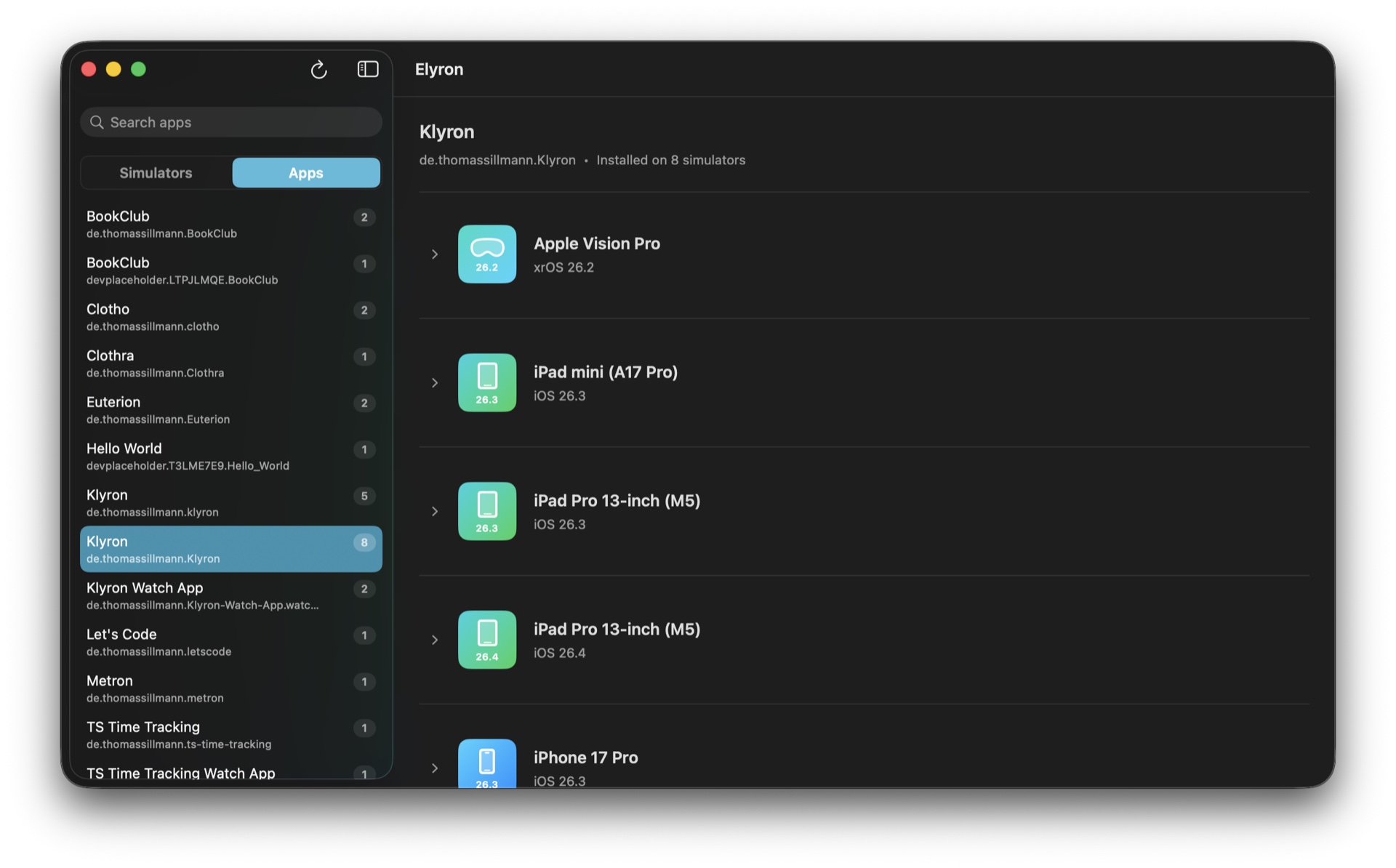
See where an app is installed without opening each simulator. Switch between app and simulator perspectives to find the environment you need.
- Apps grouped by bundle identifier
- Simulators organized by device family
- Installation details with runtime information
02 · LocateGet to the files that matter.
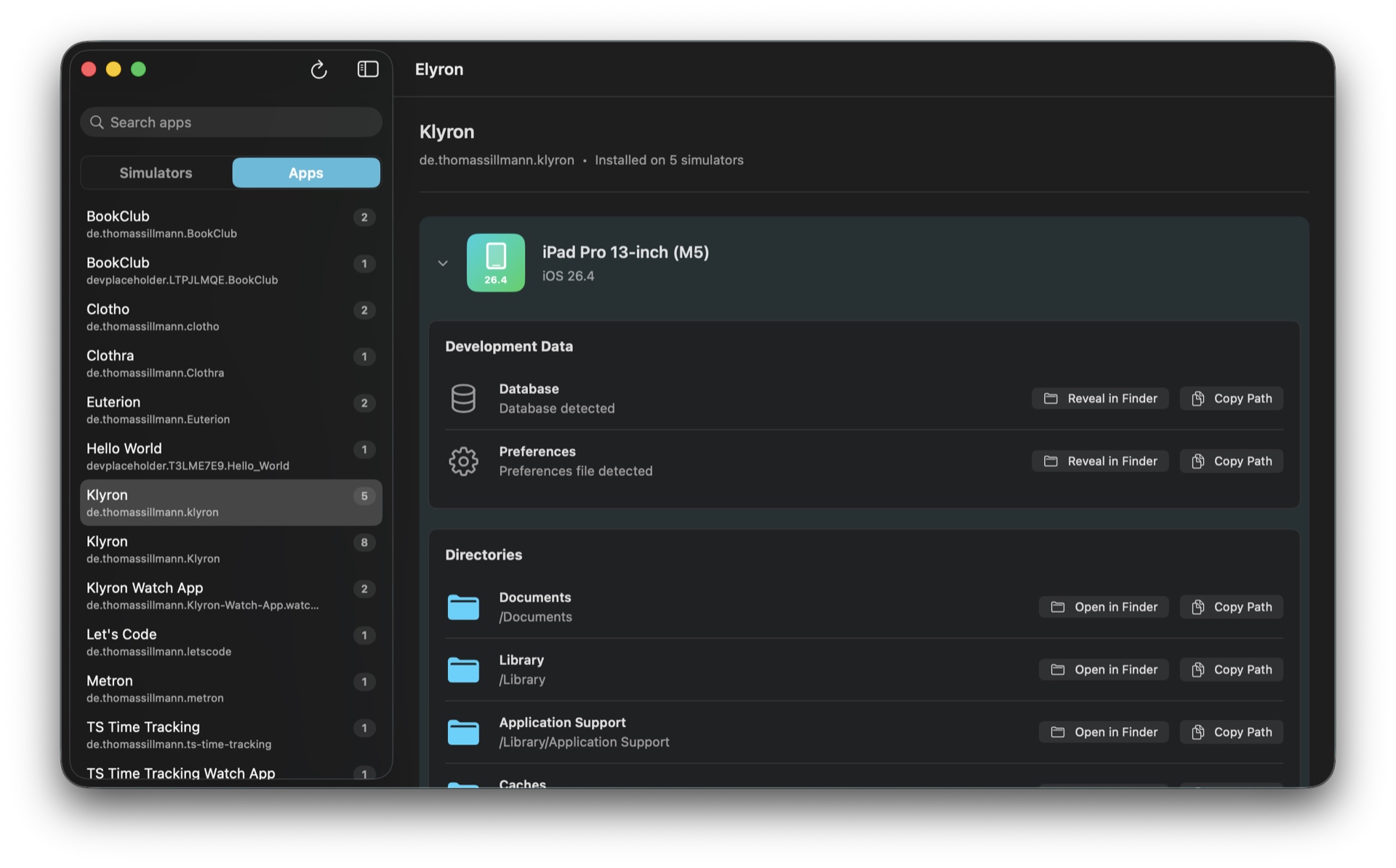
Elyron detects database and preferences locations in simulator app containers. Reveal a detected file in Finder or copy its path for your preferred inspection tool.
- Database detection
- Preferences file detection
- Reveal in Finder and Copy Path
03 · FindNarrow the list. Find your app.
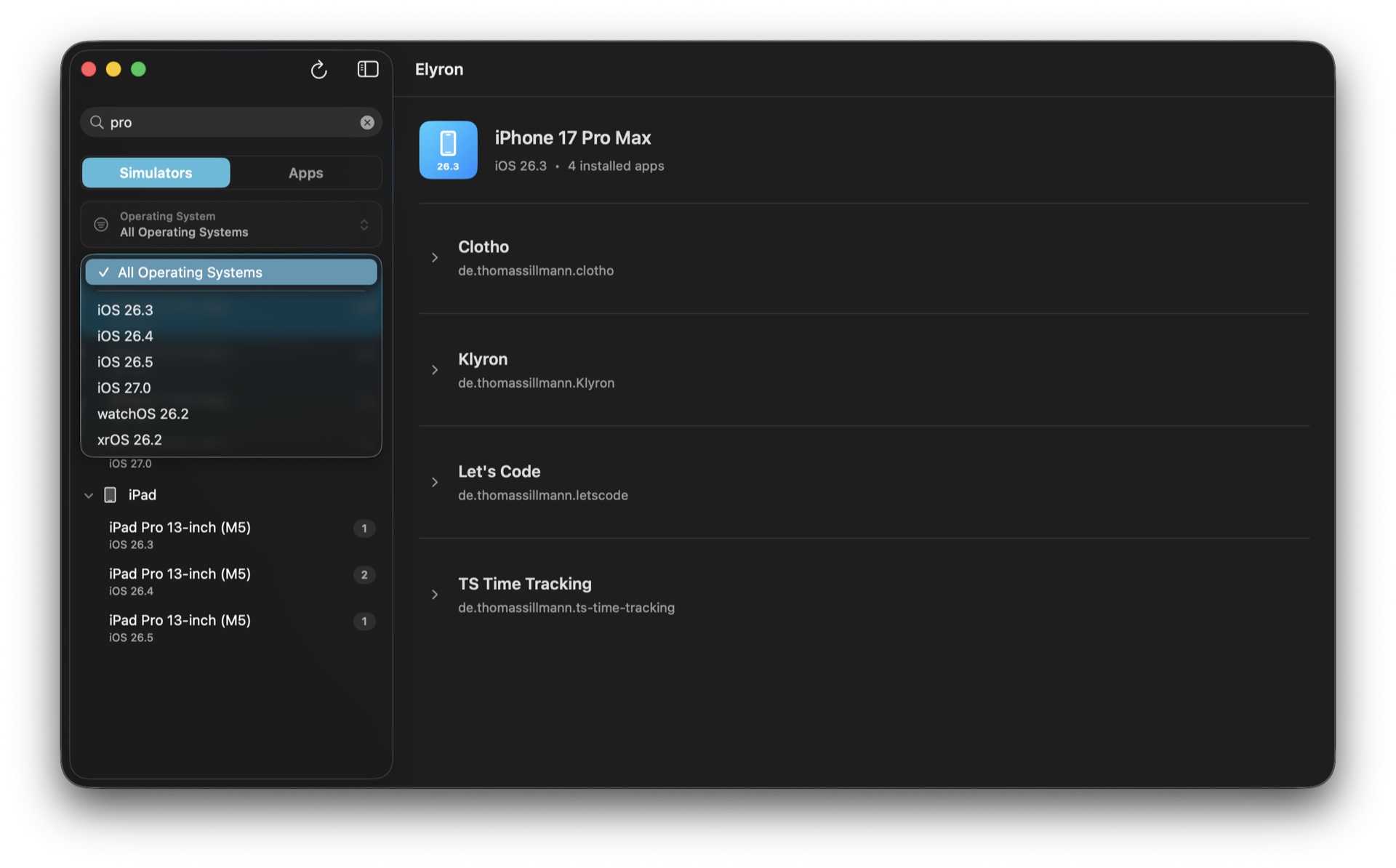
Use search and operating-system filters to reach the relevant apps and simulators, even when your development environment has grown.
- Search apps and simulators
- Filter by operating system
- Refresh after your environment changes
The places you work withUseful directories.
One place to find them.
Open a directory in Finder or copy its path for your next step. Elyron gives you access to the app container and its common development locations.
DocumentsLibraryApplication SupportCachestmpApp container
A short path into your workflow
Choose. Find. Open.
01Choose your simulator folder
Allow access to CoreSimulator. You can change the selected folder later in Settings.
02Find the installation
Browse by app or simulator, then use search and operating-system filters to narrow the list.
03Get to the data
Reveal a detected database or preferences file in Finder, open a directory, or copy its path.
Your development environmentLocal data.
A focused Mac tool.
Elyron works with simulator data on your Mac. It uses no user accounts, advertising, analytics, or tracking.
Read the privacy policy Access you choose
You select the CoreSimulator folder. Elyron’s sandbox entitlement gives it read-only access to the selected files.
Files, ready for your own tools
Elyron locates files and directories. Open them in Finder, then inspect them with your preferred tools.
A native interface
Built for macOS, with app and simulator perspectives in one window.
Made by an Apple developer.
I’m Thomas Sillmann, an independent Apple developer and author. Elyron brings a focused interface to the simulator data developers work with.
Meet the developerA few useful answers.
What do I need to use Elyron?
Elyron requires macOS 26 or later and local Xcode simulator data. You choose the CoreSimulator folder when granting access.
Does Elyron show physical devices?
Elyron focuses on local Xcode simulators. It does not browse app data on connected physical devices.
Can I view database contents inside Elyron?
Elyron finds database files and preferences locations. It reveals them in Finder or copies their paths; it does not provide an in-app database editor.
Does Elyron change or delete simulator app data?
Elyron uses read-only access to your selected simulator folder. Its file actions open or reveal locations in Finder and copy paths. Changes you make with Finder or another tool are separate from Elyron.
Can I change the simulator data folder?
Yes. View or change the selected CoreSimulator folder in Settings, or restore the default folder location.
Why is a database or preferences file not found?
A file may not exist until your app creates it. Detection also depends on the file’s location and naming. Run the app in the simulator, refresh Elyron, and open the container if you need to inspect it manually.
Does Elyron upload my development data?
No. Elyron works locally and uses no analytics, advertising, tracking, or user accounts.
Find the data.
Keep developing.
Bring your simulator apps and their directories into view.
View on the App Store  Elyron